Microsoft Office Windows 11 Visual Studio Adobe Photoshop Adobe Illustrator Adobe Premiere Pro Software Solutions Adobe Photoshop Adobe Illustrator Microsoft 365 Autodesk

One Drive for Work

Add your review

Cloud Strategy & Consultation is a professional advisory service that helps businesses plan, design, migrate, secure, and optimize cloud environments across AWS, Microsoft Azure, Google Cloud, hybrid cloud, and multi-cloud platforms for better scalability, performance, security, and cost efficiency.

×

Talk to a Licensing Expert

Get personalized guidance to find the perfect software license for your business.

    Buy the best software for your business

    Trusted by 21000+ Happy & Satisfied Business.

    1000+

    Software

    Free

    Consultation

    Best Price

    Guaranteed

    Talk to a Licensing Expert

    Get personalized guidance to find the perfect software license for your business.

      Get Free Demo
      ×

      Talk to a Licensing Expert

      Get personalized guidance to find the perfect software license for your business.

        Buy the best software for your business

        Trusted by 21000+ Happy & Satisfied Business.

        1000+

        Software

        Free

        Consultation

        Best Price

        Guaranteed

        Talk to a Licensing Expert

        Get personalized guidance to find the perfect software license for your business.

          Get Free Consultation
          9.5/10 (Expert Score)
          Product is rated as #34 in category Business Email

          OneDrive for Work

          Secure Business Cloud Storage, File Sharing & Team Collaboration

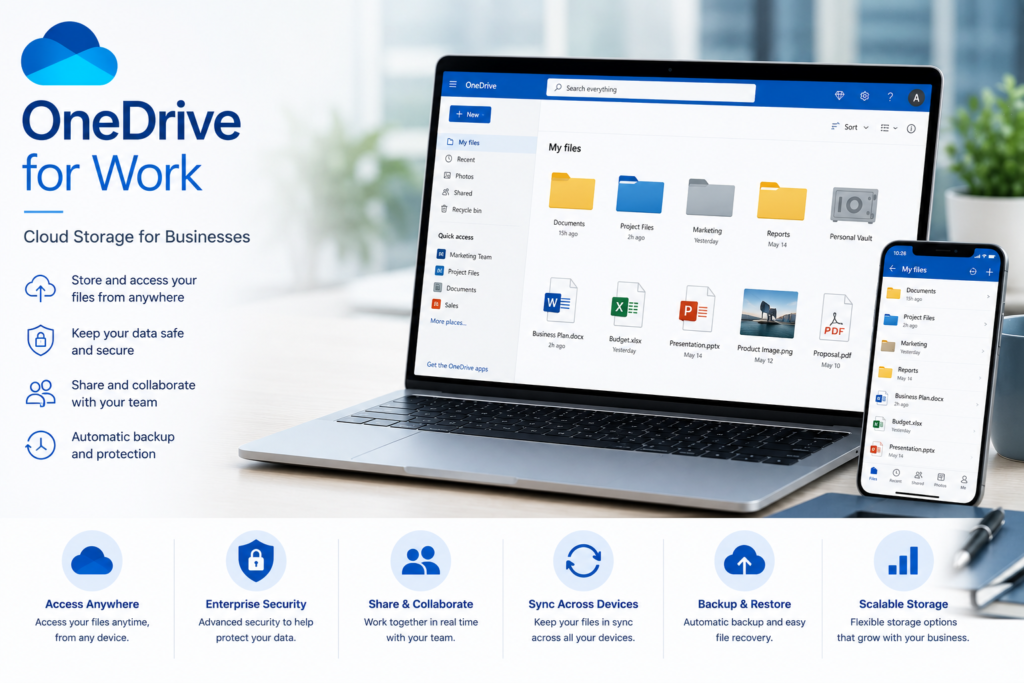
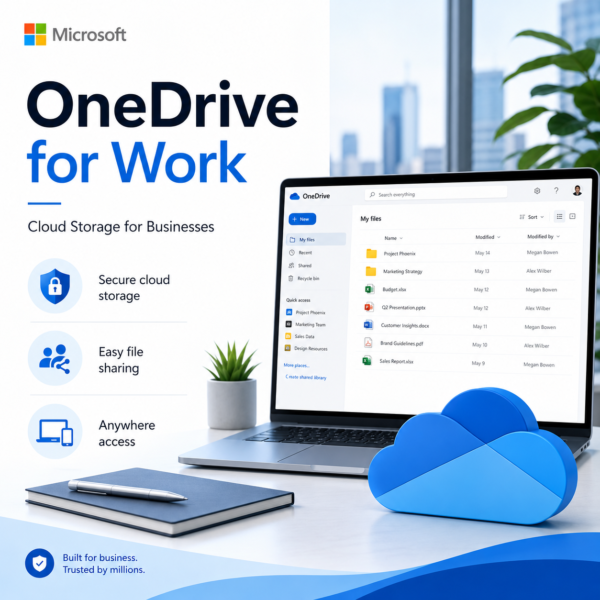
          Store, access, sync, and share business files securely with OneDrive for Work, a powerful Microsoft cloud storage solution designed for modern businesses and professional teams. OneDrive helps organizations centralize important documents, collaborate on files in real time, manage sharing permissions, recover previous file versions, and access work securely across supported desktop, web, and mobile devices.

          With seamless integration across Microsoft 365, Teams, SharePoint, Word, Excel, and PowerPoint, OneDrive for Work simplifies document management and supports productive remote and hybrid working. Build a secure, scalable, and connected cloud file environment that improves collaboration, protects business data, and keeps teams working efficiently from anywhere.

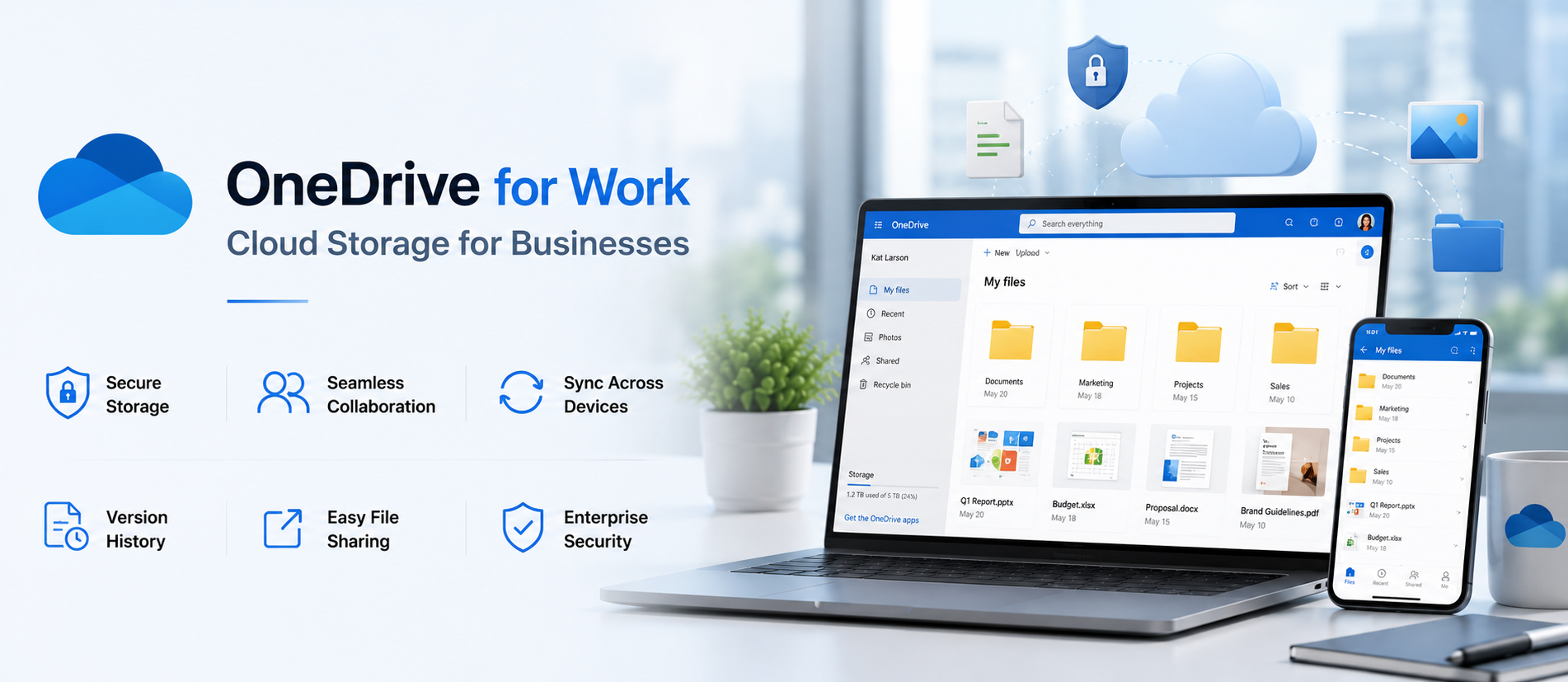
          Cloud File Storage: Store business documents, project files, presentations, spreadsheets, images, and other work data securely with OneDrive for Work in a centralized Microsoft cloud environment.

          File Sync & Access: Sync business files across supported desktop, web, and mobile devices so employees can access updated documents from the office, home, or remote locations.

          Secure File Sharing: Share files and folders securely with employees, clients, and external partners while controlling access permissions and reducing unnecessary email attachments.

          Real-Time Collaboration: Collaborate on Word, Excel, and PowerPoint files with team members in real time, helping employees review, edit, comment, and work together more efficiently.

          Microsoft 365 Integration: Connect OneDrive for Work with Microsoft 365, Teams, SharePoint, Word, Excel, PowerPoint, and Outlook to create a smooth business productivity and document collaboration workflow.

          Version History & Recovery: Access previous versions of supported files and recover accidentally deleted or changed documents to improve business data protection and document management.

          Security & Access Control: Protect important business files with Microsoft identity, permissions, sharing controls, authentication, and security policies based on your Microsoft 365 configuration.

          Centralized Document Management: Organize company documents, project folders, team files, and shared business content in one cloud-based environment for easier access, management, and collaboration.

          Remote & Hybrid Work: Give employees secure access to work files from supported devices and locations, helping businesses support remote teams, hybrid workplaces, and distributed operations.

          Business Productivity & Data Protection: Use OneDrive for Work to simplify cloud storage, file sharing, synchronization, collaboration, version recovery, and Microsoft 365 workflows while keeping critical business documents accessible, organized, and protected.

          Get OneDrive for Work for Your Business

          OneDrive for Work helps businesses store, sync, access, and share files securely in the cloud. It gives teams a reliable way to manage documents, collaborate on files, and stay connected across office, remote, and hybrid work environments. With support for Microsoft 365 integration, OneDrive for Work allows users to work smoothly with Word, Excel, PowerPoint, Teams, and SharePoint while keeping files organized and easily accessible.

          Businesses can use OneDrive for Work to centralize company documents, enable secure file sharing, manage permissions, restore previous file versions, and protect important data with enterprise-grade security features. It is an ideal cloud storage solution for improving productivity, simplifying document management, and helping teams collaborate efficiently from anywhere using supported desktop, web, and mobile devices.

          Work smarter, collaborate faster with OneDrive for Work

          Transform the way your business stores, shares, and manages files with OneDrive for Work, a secure cloud storage solution built for modern teams. Store business documents, sync files across supported devices, collaborate in real time, manage sharing permissions, and recover previous file versions with ease.

          With seamless integration across Microsoft 365, Teams, SharePoint, Word, Excel, and PowerPoint, OneDrive for Work helps businesses improve productivity, support remote and hybrid work, simplify document management, strengthen data protection, and keep important files securely accessible from anywhere.

          • • OneDrive for Work is a secure business cloud storage, file sharing, and collaboration solution designed for startups, SMEs, enterprises, and professional teams that need centralized access to company files and documents.

            • Store business documents, spreadsheets, presentations, images, project files, and other important data securely in Microsoft cloud storage for easier access and management.

            • Sync files across supported desktop, web, and mobile devices so employees can access the latest versions of business documents from the office, home, or remote locations.

            • Share files and folders securely with employees, clients, and external partners using controlled permissions and access settings to improve collaboration while protecting business information.

            • Integrate OneDrive for Work with Microsoft 365, Teams, SharePoint, Word, Excel, and PowerPoint to create a connected productivity and document collaboration environment.

            • Collaborate on supported Office documents in real time, allowing team members to edit, review, comment, and work together on shared files more efficiently.

            • Use version history and file recovery options to restore previous versions or recover accidentally deleted and modified documents, helping improve business data protection.

            • Strengthen file security with Microsoft identity management, authentication, sharing controls, permissions, and organizational security policies based on the selected Microsoft 365 configuration.

            • OneDrive storage capacity, sharing capabilities, security features, recovery options, administration controls, and collaboration features may vary depending on the selected Microsoft 365 or OneDrive for Business plan.

            • Software License Hub provides OneDrive for Work and Microsoft 365 licensing in India with GST invoices, competitive pricing, professional setup assistance, migration support, licence management, and reliable technical support for business cloud storage requirements.

          FREQUENTLY ASKED QUESTIONS

          OneDrive for Work is Microsoft’s secure business cloud storage solution that helps organizations store, sync, access, share, and collaborate on work files from supported devices and locations.

          OneDrive for Work is ideal for businesses, startups, enterprises, professionals, and remote or hybrid teams that need secure cloud storage, file sharing, synchronization, and Microsoft 365 collaboration.

          You can store business documents, Word files, Excel spreadsheets, PowerPoint presentations, PDFs, images, project files, and other supported work content securely in OneDrive for Work.

          Yes. OneDrive for Work can be accessed from supported Windows, macOS, web, iOS, and Android devices, helping employees work securely from the office, home, or remote locations.

          Yes. OneDrive for Work supports file sharing and real-time collaboration with Microsoft 365 applications such as Word, Excel, and PowerPoint, helping teams edit, review, and manage documents together.

          Yes. OneDrive for Work provides version history and recovery capabilities that can help users restore previous file versions or recover accidentally deleted and modified business documents.

          Software License Hub provides OneDrive for Work and Microsoft 365 licensing in India with GST invoices, competitive pricing, professional setup assistance, migration support, licence management, and reliable technical support for business cloud storage requirements.

          Specification: One Drive for Work

          Product Type

          Business Cloud Storage, File Sync & Sharing Solution

          Suitable For

          Businesses, Professionals, Teams & Enterprises

          Core Capabilities

          Cloud Storage, File Sync, Sharing, Collaboration & Recovery

          Supported Platforms

          Windows, macOS, Web, iOS & Android

          Integration

          Microsoft 365, Teams, SharePoint, Word, Excel & PowerPoint

          User Reviews

          0.0 out of 5
          ★★★★★
          0
          ★★★★★
          0
          ★★★★★
          0
          ★★★★★
          0
          ★★★★★
          0
          Write a review

          There are no reviews yet.

          Be the first to review “One Drive for Work”

          Your email address will not be published. Required fields are marked *

          Features:

          Cloud Readiness Assessment

          Evaluate existing IT infrastructure
          Identify cloud-ready applications and workloads
          Assess security, performance, and business requirements

          Cloud Strategy Planning

          Create a structured cloud adoption roadmap
          Define priorities, timelines, and objectives
          Align cloud technology with business goals

          Cloud Platform Selection

          Compare AWS, Microsoft Azure, and Google Cloud
          Choose the right platform for business workloads
          Evaluate performance, security, and cost requirements

          Cloud Architecture Design

          Design secure and scalable cloud architecture
          Plan compute, storage, networking, and databases
          Build infrastructure for future business growth

          Cloud Migration Strategy

          Plan application and server migration
          Create phased migration workflows
          Reduce downtime and migration risks

          Cloud Security Strategy

          Plan identity and access management
          Define encryption and security policies
          Strengthen cloud data protection

          Cost Optimization

          Analyze cloud resource consumption
          Reduce unnecessary infrastructure costs
          Improve cloud ROI and budget efficiency

          Hybrid & Multi-Cloud Strategy

          Connect on-premise and cloud environments
          Plan hybrid cloud infrastructure
          Support multi-cloud business requirements

          Backup & Disaster Recovery

          Plan secure cloud backup strategies
          Design disaster recovery workflows
          Improve business continuity and resilience

          Cloud Governance & Optimization

          Define cloud management policies
          Monitor performance, security, and costs
          Continuously optimize cloud infrastructure
          .
          Shopping cart0
          There are no products in the cart!
          Continue shopping
          ×
          Software Hub Licence
          Logo
          Compare items
          • Total (0)
          Compare
          Shopping cart