IBM Lotus to 365
G Suite to M365 is a professional Google Workspace to Microsoft 365 migration service that helps businesses securely move Gmail, Google Drive, Shared Drives, Calendar, Contacts, and user data to Outlook, Exchange Online, OneDrive, SharePoint, and Teams with minimal downtime and post-migration support.

Talk to a Licensing Expert
Buy the best software for your business
Trusted by 21000+ Happy & Satisfied Business.
1000+
Software
Free
Consultation
Best Price
Guaranteed
Talk to a Licensing Expert
Buy the best software for your business
Trusted by 21000+ Happy & Satisfied Business.
1000+
Software
Free
Consultation
Best Price
Guaranteed
Talk to a Licensing Expert
- 100% GENUINE PRODUCT STARTUPS
- BEST PRICE GUARANTEE
- DISCOUNTS FOR STARTUPS
IBM Lotus to 365
Secure IBM Lotus Notes to Microsoft 365 Migration for Businesses
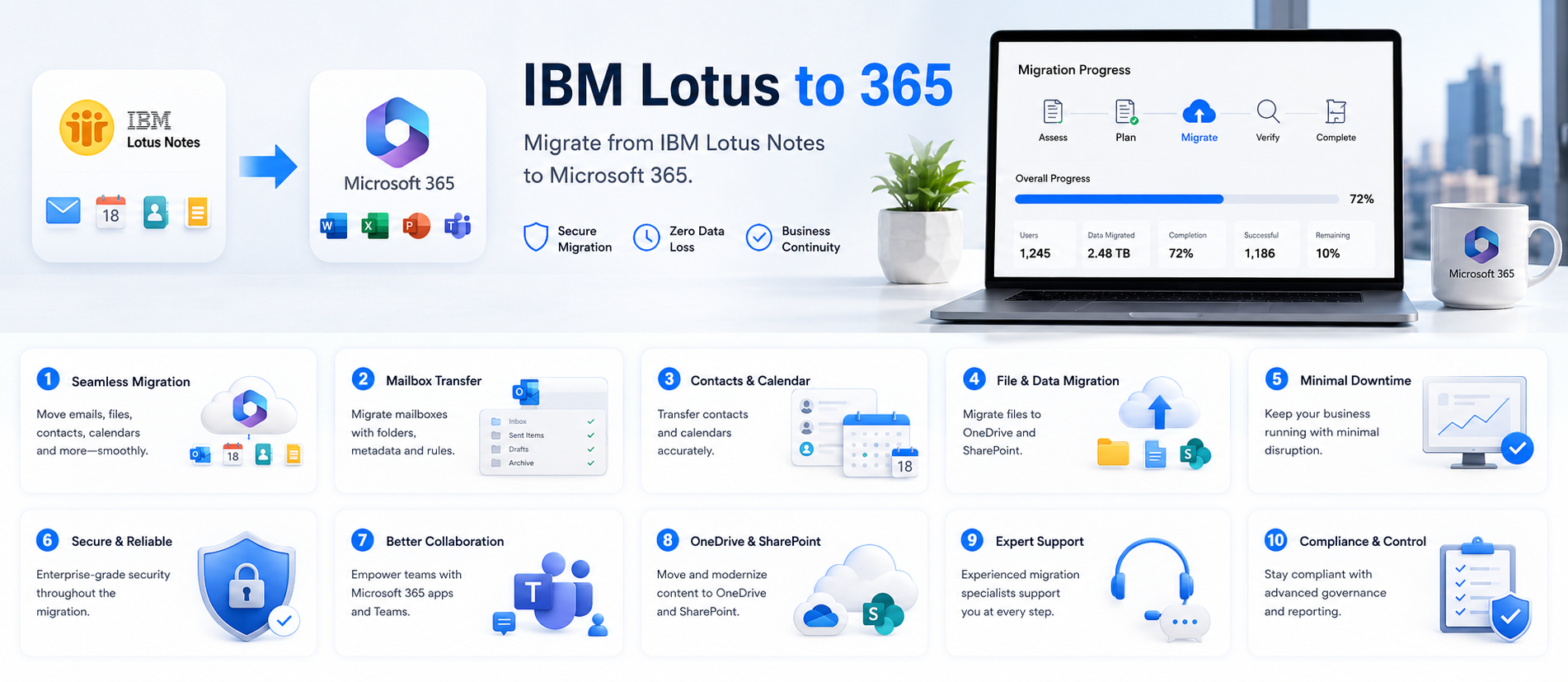
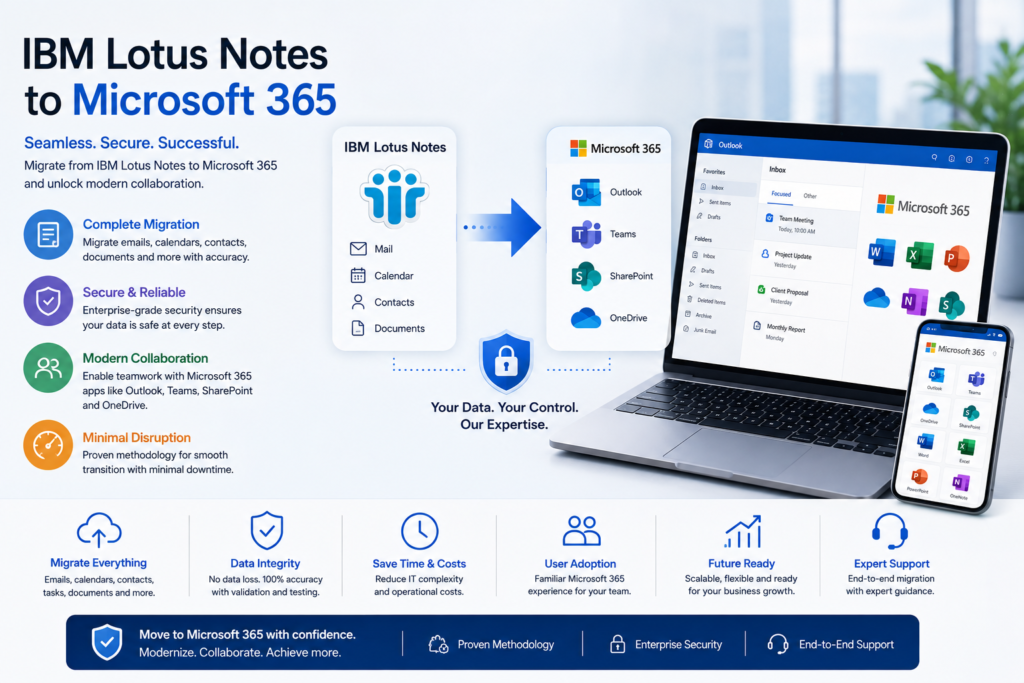
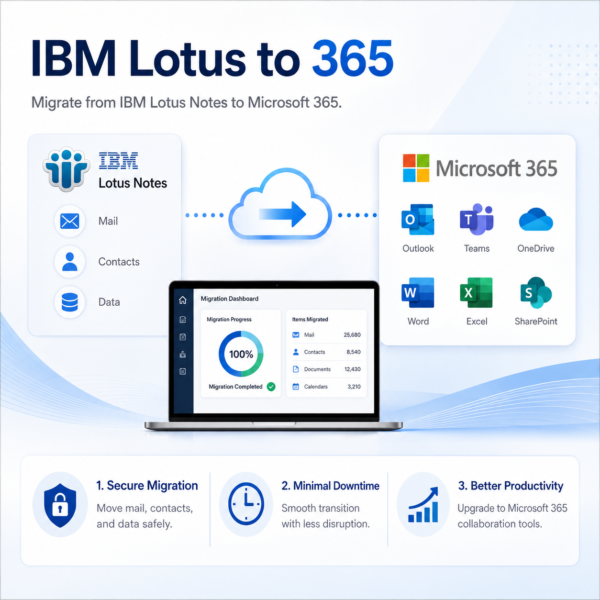
Modernize your business communication with IBM Lotus to 365 Migration, a professional service designed to securely move emails, calendars, contacts, mailbox data, and user accounts from IBM Lotus Notes to Microsoft 365. Migrate business mailboxes to Exchange Online and Outlook while minimizing downtime, protecting important information, and maintaining smooth day-to-day operations throughout the transition.
Our IBM Lotus Notes to Microsoft 365 migration approach includes environment assessment, migration planning, domain and DNS configuration, user and licence setup, mailbox data transfer, validation, and post-migration support. After migration, businesses can benefit from Microsoft Outlook, Teams, OneDrive, SharePoint, and other Microsoft 365 collaboration tools to improve productivity, centralized administration, secure cloud access, and communication across office, remote, and hybrid teams.
Lotus Notes Environment Assessment: Evaluate your existing IBM Lotus Notes environment, including mailboxes, calendars, contacts, address books, domains, user accounts, mailbox sizes, and configuration requirements to plan the right Microsoft 365 migration strategy.
Email Migration to Exchange Online: Migrate business emails from IBM Lotus Notes to Microsoft Exchange Online and Outlook while preserving supported mailbox data, folders, messages, and communication history with minimal disruption.
Calendar Migration: Transfer Lotus Notes calendars, appointments, meetings, and schedules to Microsoft Outlook and Exchange Online so employees can continue managing business activities smoothly after migration.
Contacts & Address Book Migration: Move personal contacts, business contacts, and supported address book information from IBM Lotus Notes to Microsoft 365 while maintaining easy access to important communication data.
Mailbox Data Migration: Transfer supported mailbox folders, email content, attachments, and related user data from Lotus Notes to Microsoft 365 while maintaining organized mailbox structures wherever possible.
Domain & Exchange Configuration: Configure your business domain in Microsoft 365, set up Exchange Online, update required DNS records, and prepare mail flow settings for a smooth transition from IBM Lotus Notes.
User & Licence Management: Create Microsoft 365 user accounts, assign suitable licences, configure permissions, and manage access to Outlook, Teams, OneDrive, SharePoint, and other Microsoft 365 services.
Microsoft 365 Collaboration Setup: Configure Outlook, Microsoft Teams, OneDrive, SharePoint, and other collaboration tools to help employees communicate, share files, attend meetings, and work together efficiently after migration.
Secure Migration & Validation: Protect business data throughout the migration process, minimize downtime, validate transferred emails, calendars, contacts, and user accounts, and confirm access before completing the transition.
Post-Migration Support & Optimization: Provide post-migration assistance for Outlook, Exchange Online, Teams, OneDrive, SharePoint, user configuration, licence management, troubleshooting, and Microsoft 365 adoption to help businesses complete the migration successfully.
Get IBM Lotus to 365 Migration for Your Business
IBM Lotus to 365 Migration helps businesses securely move emails, calendars, contacts, mailbox data, and user accounts from IBM Lotus Notes to Microsoft 365. Migrate business mailboxes to Outlook and Exchange Online while preserving important messages, folders, attachments, schedules, and contact information with minimal disruption to everyday business operations.
Businesses can use professional IBM Lotus to 365 Migration services to simplify environment assessment, migration planning, domain configuration, user setup, licence assignment, data transfer, validation, and post-migration support. After migration, teams can work efficiently with Outlook, Teams, OneDrive, SharePoint, and other Microsoft 365 services while benefiting from centralized administration, secure cloud collaboration, and a modern productivity environment. Software License Hub provides IBM Lotus to 365 Migration services in India with GST invoices, competitive pricing, setup assistance, and reliable technical support.
Work smarter, migrate faster with IBM Lotus to 365
Transform your business communication with professional IBM Lotus to 365 Migration services designed to move emails, calendars, contacts, mailbox data, and user accounts securely from IBM Lotus Notes to Microsoft 365. Migrate business mailboxes to Outlook and Exchange Online while preserving important messages, folders, attachments, schedules, and contact information with minimal disruption to daily operations.
With structured migration planning, domain configuration, user setup, licence assignment, data validation, and post-migration support, IBM Lotus to 365 helps businesses transition smoothly to Microsoft 365. Empower teams with Outlook, Teams, OneDrive, SharePoint, and Exchange Online while improving collaboration, centralized administration, secure cloud access, and productivity across office, remote, and hybrid work environments.
• IBM Lotus to 365 is a professional migration service designed for businesses, SMEs, enterprises, and IT teams that want to securely move email, calendars, contacts, mailbox data, and users from IBM Lotus Notes to Microsoft 365.
• Migrate IBM Lotus Notes email mailboxes to Microsoft Exchange Online and Outlook while preserving supported messages, folders, attachments, and important business communication with minimal disruption.
• Transfer Lotus Notes calendars, appointments, meetings, and schedules to Microsoft Outlook and Exchange Online so employees can continue managing business activities smoothly after migration.
• Migrate personal contacts, business contacts, and supported address book information from IBM Lotus Notes to Microsoft 365 while keeping important communication data organized and accessible.
• Configure Microsoft 365 user accounts, Exchange Online mailboxes, business domains, DNS records, permissions, and suitable Microsoft 365 licences as part of the migration process.
• Set up Microsoft Outlook, Teams, OneDrive, SharePoint, and other supported Microsoft 365 services to create a connected productivity and collaboration environment after migration.
• Follow a structured migration process that includes environment assessment, migration planning, data transfer, testing, validation, and controlled cutover to help minimize downtime and migration risks.
• Validate migrated mailboxes, calendars, contacts, users, permissions, and Microsoft 365 services after migration to help ensure data accuracy, accessibility, and a smooth business transition.
• Migration scope, timelines, mailbox size, data volume, user count, supported Lotus Notes data, Microsoft 365 features, and licence requirements may vary depending on the existing IBM Lotus Notes environment and selected Microsoft 365 plan.
• Software License Hub provides professional IBM Lotus to 365 migration services in India with GST invoices, competitive pricing, migration assessment, Microsoft 365 licensing, domain configuration, data migration, user setup, post-migration support, and reliable technical assistance.
FREQUENTLY ASKED QUESTIONS
What is IBM Lotus to 365 Migration?
IBM Lotus to 365 Migration is a professional service that helps businesses securely move emails, calendars, contacts, mailbox data, and user accounts from IBM Lotus Notes to Microsoft 365, Exchange Online, Outlook, Teams, OneDrive, and SharePoint.
Who should choose IBM Lotus to 365 Migration?
IBM Lotus to 365 Migration is suitable for SMEs, enterprises, professional teams, and IT departments that want to modernize business email and collaboration by moving from IBM Lotus Notes to Microsoft 365.
What data can be migrated from IBM Lotus Notes to Microsoft 365?
The migration can include supported emails, folders, attachments, calendars, meetings, contacts, address book information, mailbox data, and user accounts depending on the existing IBM Lotus Notes environment.
Can IBM Lotus Notes emails be migrated to Outlook and Exchange Online?
Yes. IBM Lotus Notes mailboxes can be migrated to Microsoft Outlook and Exchange Online while preserving supported email messages, folders, attachments, and important business communication.
Can calendars and contacts be migrated from IBM Lotus Notes?
Yes. Supported Lotus Notes calendar events, meetings, schedules, contacts, and address book information can be transferred to Microsoft Outlook and Exchange Online as part of the migration process.
Will there be downtime during IBM Lotus to 365 Migration?
A properly planned migration can help minimize business downtime through assessment, phased data transfer, testing, domain configuration, validation, and controlled user transition to Microsoft 365.
Why choose Software License Hub for IBM Lotus to 365 Migration?
Software License Hub provides professional IBM Lotus to 365 migration services in India with Microsoft 365 licensing, migration assessment, domain configuration, mailbox migration, user setup, post-migration support, GST invoices, and reliable technical assistance.
Specification: IBM Lotus to 365
|
User Reviews
Be the first to review “IBM Lotus to 365” Cancel reply
Features:
Lotus Notes Environment Assessment
Evaluate Lotus Notes mailboxes and users
Review databases, calendars, contacts, and domains
Plan the right Microsoft 365 migration strategy
Email Migration to Exchange Online
Migrate Lotus Notes emails securely
Move mailboxes to Microsoft Exchange Online
Preserve important business communication
Calendar Migration
Transfer calendar events and meetings
Move schedules to Microsoft Outlook
Maintain important business appointments
Contacts Migration
Migrate personal and business contacts
Transfer address book information
Keep important contact data accessible
Mailbox Data Migration
Transfer folders and supported mailbox data
Preserve email organization where supported
Reduce risk of business data loss
Domain & Exchange Configuration
Configure business domains in Microsoft 365
Set up Exchange Online mail services
Update required DNS and email settings
User & Licence Setup
Create Microsoft 365 user accounts
Assign suitable Microsoft 365 licences
Configure permissions and user access
Microsoft 365 Collaboration Setup
Configure Outlook and Microsoft Teams
Set up OneDrive and SharePoint access
Improve collaboration after migration
Secure Migration & Validation
Protect business data during migration
Validate migrated emails and user accounts
Minimize downtime and migration risks
Post-Migration Support
Verify Microsoft 365 services after migration
Resolve user and configuration issues
Support Outlook, Teams, OneDrive, and SharePoint adoption



There are no reviews yet.