
Coreldraw Technical Suite
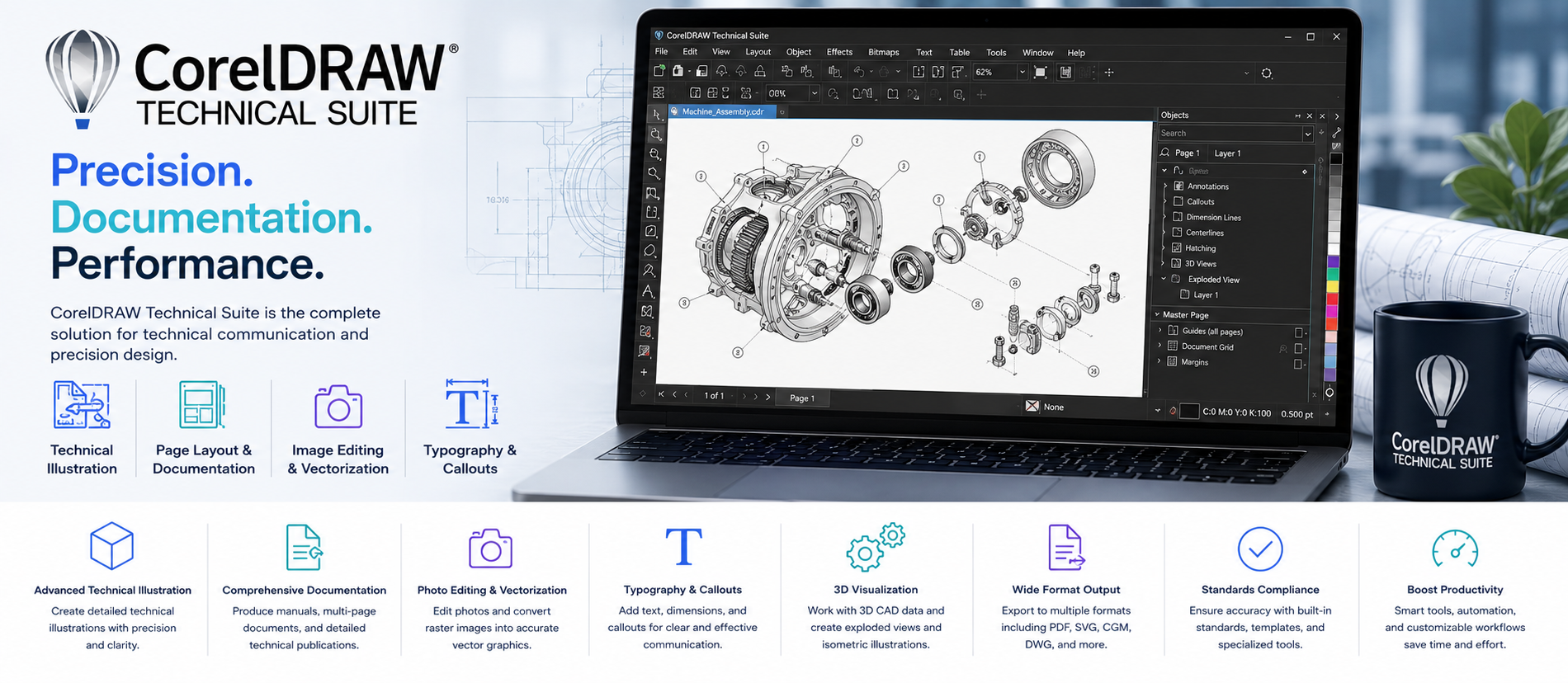
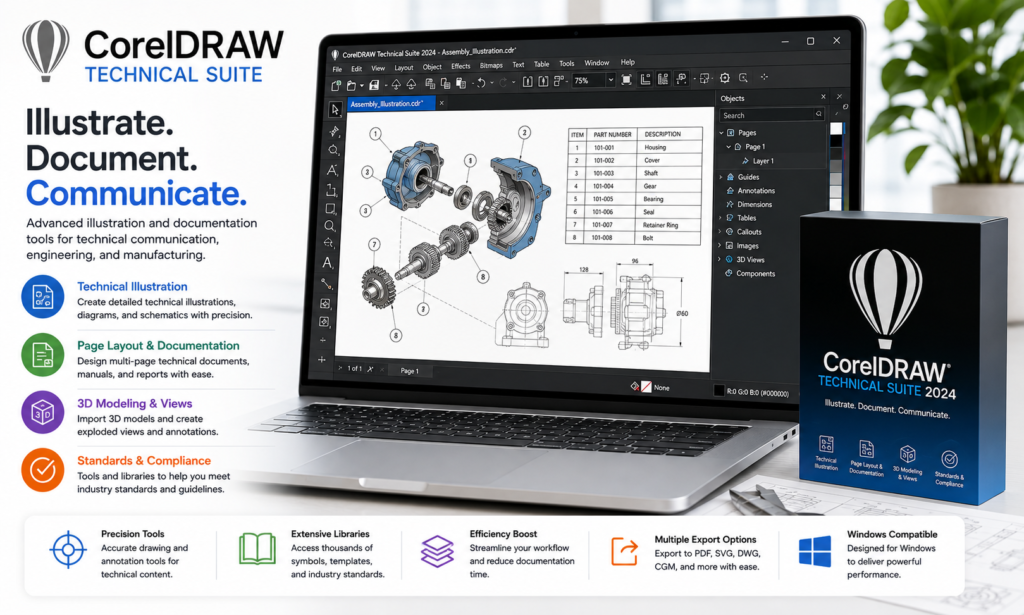
CorelDRAW Technical Suite is a professional technical illustration and documentation software designed for engineers, manufacturers, technical illustrators, and documentation teams to create precise diagrams, isometric drawings, technical graphics, callouts, annotations, and product documentation efficiently.

Talk to a Licensing Expert
Buy the best software for your business
Trusted by 21000+ Happy & Satisfied Business.
1000+
Software
Free
Consultation
Best Price
Guaranteed
Talk to a Licensing Expert
Buy the best software for your business
Trusted by 21000+ Happy & Satisfied Business.
1000+
Software
Free
Consultation
Best Price
Guaranteed
Talk to a Licensing Expert
- 100% GENUINE PRODUCT STARTUPS
- BEST PRICE GUARANTEE
- DISCOUNTS FOR STARTUPS
CorelDRAW Technical Suite
Professional Technical Illustration, Diagramming & Documentation Software
Create precise technical illustrations, diagrams, schematics, product visuals, and professional documentation with CorelDRAW Technical Suite, a powerful solution designed for engineers, manufacturers, technical illustrators, and documentation teams. Build detailed vector graphics, isometric drawings, assembly instructions, callouts, annotations, and technical layouts with accuracy and control.
CorelDRAW Technical Suite helps teams streamline technical communication with advanced illustration tools, dimensioning, page layout, file compatibility, and support for technical design workflows. Create service manuals, product documentation, manufacturing visuals, instructional graphics, and print-ready technical content while improving accuracy, consistency, and productivity across engineering and documentation projects.
Technical Illustration & Diagramming: Use CorelDRAW Technical Suite to create detailed technical illustrations, schematics, diagrams, product visuals, and engineering graphics with professional precision and clarity.
Vector Drawing & Design: Create scalable vector graphics, symbols, components, lines, shapes, and technical artwork while maintaining high-quality output for print and digital documentation.
Isometric Drawing: Build accurate isometric illustrations and technical views for machinery, products, components, assembly instructions, and engineering documentation.
Precision Drawing Tools: Use dimensioning, alignment, measurement, snapping, and drawing tools to create accurate technical graphics and maintain consistent layouts across complex projects.
Callouts & Annotations: Add numbered callouts, labels, notes, dimensions, arrows, and annotations to clearly explain components, assembly steps, maintenance procedures, and product information.
Technical Documentation: Create service manuals, user guides, assembly instructions, maintenance documents, product catalogues, and other professional technical communication materials.
CAD & File Compatibility: Import, work with, and export supported CAD, PDF, SVG, CDR, image, and other technical file formats to simplify collaboration between engineering, design, and documentation teams.
3D Visualization Workflow: Work with supported 3D model content and create useful technical views and illustrations for product documentation, manufacturing, training, and service materials where supported by the selected edition.
Page Layout & Publishing: Combine technical illustrations, text, tables, diagrams, and images into structured multi-page documents prepared for professional print and digital publishing.
Technical Production & Workflow: Use CorelDRAW Technical Suite to streamline illustration, documentation, editing, publishing, and technical communication workflows while improving accuracy, consistency, and productivity across engineering and manufacturing projects.
Get CorelDRAW Technical Suite for Your Business
CorelDRAW Technical Suite helps engineers, manufacturers, and technical teams create precise illustrations, diagrams, assembly instructions, callouts, and technical documents with professional accuracy.
With vector drawing, isometric tools, dimensioning, annotations, CAD file support, and page layout features, it helps simplify technical documentation and improve productivity. Software License Hub provides CorelDRAW Technical Suite licensing in India with GST invoices, setup assistance, and reliable technical support.
Work smarter, create technical designs faster with CorelDRAW Technical Suite
Transform your technical design workflow with CorelDRAW Technical Suite, a professional solution for engineers, manufacturers, technical illustrators, and documentation teams. Create precise diagrams, technical illustrations, isometric drawings, callouts, annotations, and product documentation with advanced vector and precision drawing tools.
With CAD file support, dimensioning, page layout, technical publishing, and professional illustration capabilities, CorelDRAW Technical Suite helps teams improve accuracy, simplify documentation, and create clear technical content for engineering, manufacturing, service manuals, and product communication.
• CorelDRAW Technical Suite is a professional technical illustration, diagramming, and documentation solution designed for engineers, manufacturers, technical illustrators, product designers, and documentation teams that need accurate visual communication.
• Create detailed technical illustrations, product diagrams, schematics, assembly instructions, exploded views, and engineering graphics with professional vector drawing and precision tools.
• Build accurate isometric drawings and technical perspectives for machinery, equipment, components, products, and manufacturing documentation.
• Add dimensions, measurements, callouts, labels, arrows, annotations, and numbered references to improve clarity across technical drawings and product documentation.
• Create service manuals, user guides, installation instructions, maintenance documents, product catalogues, training materials, and other professional technical publications.
• Work with supported CAD, PDF, SVG, CDR, image, and other technical file formats to simplify collaboration between engineering, design, production, and documentation teams.
• Use advanced page layout and publishing tools to combine technical illustrations, text, tables, diagrams, and images into organized multi-page documents for print and digital distribution.
• Apply professional color management, line styles, symbols, technical objects, and visual effects to maintain consistency and accuracy across complex engineering and manufacturing projects.
• CorelDRAW Technical Suite features, supported CAD formats, 3D visualization capabilities, included applications, collaboration tools, platform availability, and licensing options may vary depending on the selected version or edition.
• Software License Hub provides CorelDRAW Technical Suite licensing in India with GST invoices, competitive pricing, professional licence guidance, setup assistance, installation support, deployment assistance, and reliable technical service for technical illustration and documentation requirements.
FREQUENTLY ASKED QUESTIONS
What is CorelDRAW Technical Suite?
CorelDRAW Technical Suite is a professional technical illustration and documentation software solution that helps engineers, manufacturers, technical illustrators, and documentation teams create precise diagrams, schematics, isometric drawings, technical graphics, and product documentation.
Who should choose CorelDRAW Technical Suite?
CorelDRAW Technical Suite is suitable for engineers, manufacturers, technical illustrators, product designers, documentation teams, service departments, and organizations that need accurate technical drawings and professional visual documentation.
What can I create with CorelDRAW Technical Suite?
You can create technical illustrations, product diagrams, schematics, exploded views, assembly instructions, service manuals, user guides, maintenance documents, technical catalogues, and other engineering or manufacturing visuals.
Does CorelDRAW Technical Suite support isometric drawings?
Yes. CorelDRAW Technical Suite provides tools for creating accurate isometric illustrations and technical views for machinery, components, products, manufacturing documentation, and assembly instructions.
Can CorelDRAW Technical Suite work with CAD files?
Yes. CorelDRAW Technical Suite supports various CAD and technical file formats, allowing users to import, edit, and reuse supported engineering data within technical illustration and documentation workflows.
Does CorelDRAW Technical Suite support callouts and annotations?
Yes. Users can add dimensions, numbered callouts, labels, arrows, annotations, measurements, and explanatory notes to make technical drawings and product documentation clear and easy to understand.
Why buy CorelDRAW Technical Suite from Software License Hub?
Software License Hub provides CorelDRAW Technical Suite licensing in India with GST invoices, competitive pricing, professional licence guidance, setup assistance, installation support, deployment assistance, and reliable technical service.
Specification: Coreldraw Technical Suite
|
User Reviews
Be the first to review “Coreldraw Technical Suite” Cancel reply
Features:
Technical Illustration
Create detailed technical illustrations
Design product diagrams and schematics
Build professional technical documentation
Vector Drawing Tools
Create precise vector graphics
Design complex shapes and components
Scale artwork without losing quality
3D Visualization Support
Work with supported 3D design content
Create technical views from 3D models
Improve product visualization workflows
Resource Management
Assign people and resources to tasks
Monitor resource availability
Balance workloads across project teams
Precision Drawing Tools
Use advanced dimensioning tools
Create accurate lines and measurements
Maintain precise technical layouts
Technical Documentation
Create manuals and instruction guides
Design assembly and service documents
Prepare professional product documentation
Callouts & Annotations
Add labels and numbered callouts
Create explanatory notes and references
Improve clarity of technical drawings
File Format Compatibility
Import and export multiple supported formats
Work with CAD, PDF, SVG, and image files
Simplify technical design workflows
Page Layout & Publishing
Create multi-page technical documents
Arrange diagrams, text, and graphics
Prepare content for print and digital use
Professional Production Workflow
Manage illustration and documentation projects
Prepare technical artwork efficiently
Improve productivity across engineering and design teams





There are no reviews yet.